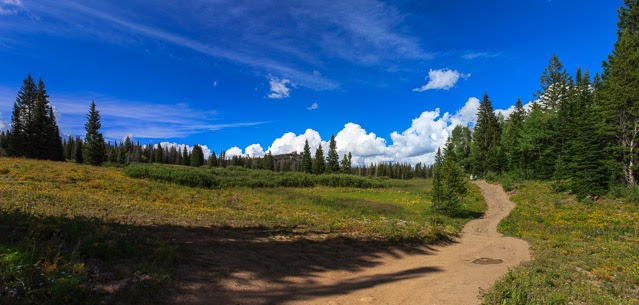
We decided to tackle a big hike up to rabbit ear point. You can just barely see the rabbit ears in the centre of this picture. We didn't make it all the way to the top. We didn't give ourselves enough time for such a hike at this altitude.
After a week in Alberta we moved on to Colorado. I still have two days of panoramas to share.
I meant to discuss earlier my processing workflow. I did all of these using the free open source software called Hugin. It works pretty well and on both Windows and Mac.
Yesterday's focus was the sunset but today I'll show you the 180 degree (or so) vista. This really was a beautiful place to visit and I'd highly (pun intended) recommend it. Of course, I have only been there once, but it was indicative where the park ranger and the tour guide - who are there every day - got out their cameras. So this day was a little unusual. Do you see the dark blue triangle extending upwards from the sun? That is not a stitching artifact, it looked that way.
This small image does not do a panorama like this justice, so I encourage you to take a look at this larger version. The image stitch was accomplished using Microsoft's Image Composite Editor, which continually seems to do a better job than Photoshop Cs4. Very impressive since the Microsoft program is free.
One little quibble with MS ICE. My workflow for an image composite starts with Adobe Photoshop Lightroom. I select the images and then use my export preset for ICE. It does a basic JPG export and then runs ICE on the result folder. This pops me into the ICE dialogue allows me to fine tune the cropping and export options and complete the process. I did drop the finished pano back into Lightroom and stack the result with the source images.
When I went through this process I was really disappointed with the colours. They came out very cold and not at all like the real scene. I tried to fix it by adjusting the colour balance in Lightroom, but I couldn't get them right. Then it struck me - sure enough I had done the export to jpg with the colour space set as ProPhoto. ICE obviously stripped out the colour space information for the stitch so the default of sRGB was taken by Lightroom on re-import which is just wrong. When I repeated it with sRGB export it worked great.


 . I select the images and then use my export preset for ICE. It does a basic JPG export and then runs ICE on the result folder. This pops me into the ICE dialogue allows me to fine tune the cropping and export options and complete the process. I did drop the finished pano back into Lightroom and stack the result with the source images.
